

A newsletter sign-up list with double opt-in and CSV export, and one reminder e-mail for a signed-in shopper who leaves a cart.
The newsletter works on classifieds and shop sites. The cart reminder is for shop sites only.
Requirements
- ShopClass 7.1.0 or later
- PHP 8.2 or later
- No outside accounts. The reminder runs on the hourly cron and job queue. Core's auto-cron drives them; a system cron or worker only makes them run on time.
Install
- Open Plugins → Browse (or upload the zip from the GitHub release).
- Install.
- Activate.
Set up
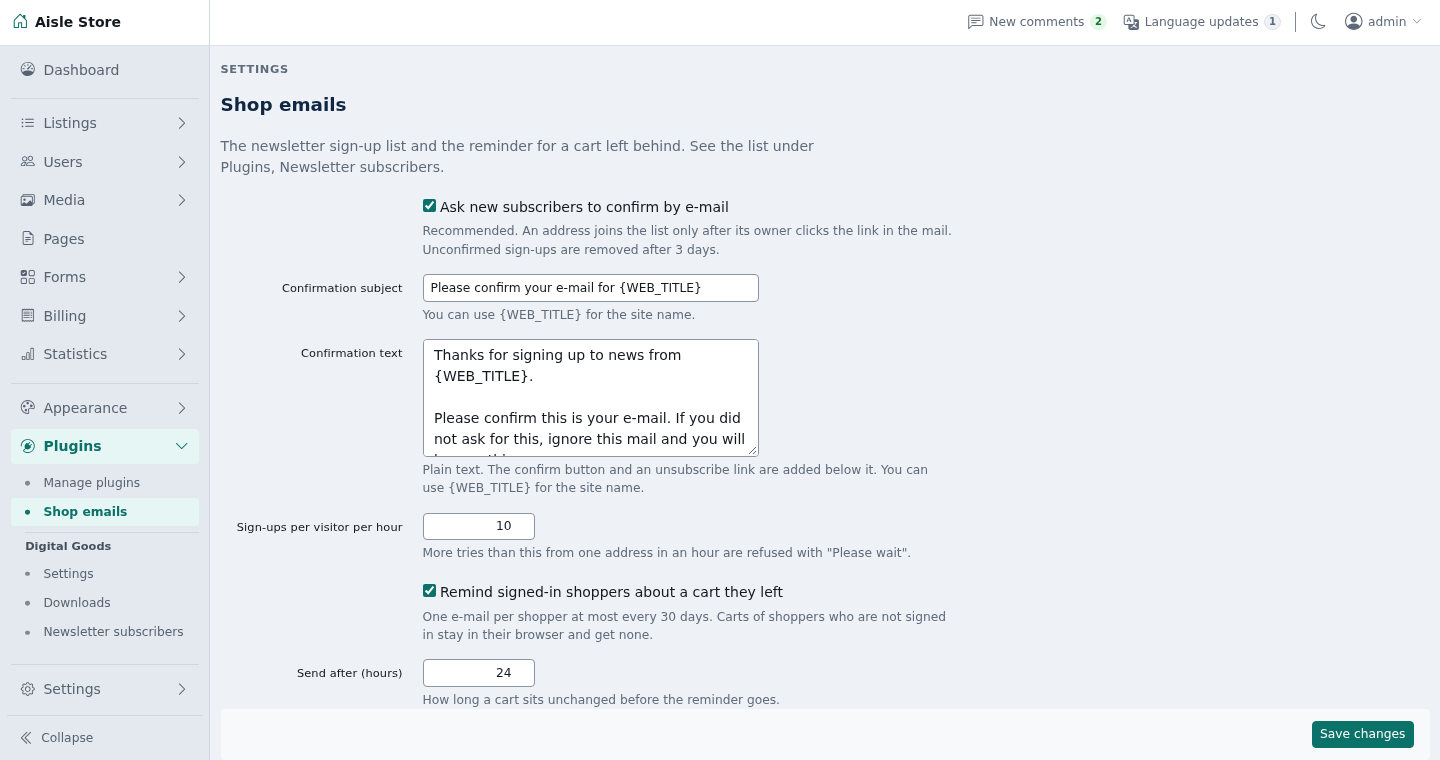
- Open Settings → Email → Shop emails.
- Set the newsletter options:
| Setting | Default | |---|---| | Ask new subscribers to confirm by e-mail | On | | Confirmation subject, Confirmation text | A short "please confirm" mail | | Sign-ups per visitor per hour | 10 |
- On a shop site, set the cart reminder options (a classifieds site does not show them):
| Setting | Default | |---|---| | Remind signed-in shoppers about a cart they left | On | | Send after (hours) | 24 | | Skip carts older than (days), counted after the wait | 7 | | Reminder subject, Reminder text | "You left something in your cart" | | Cart link | The home page with
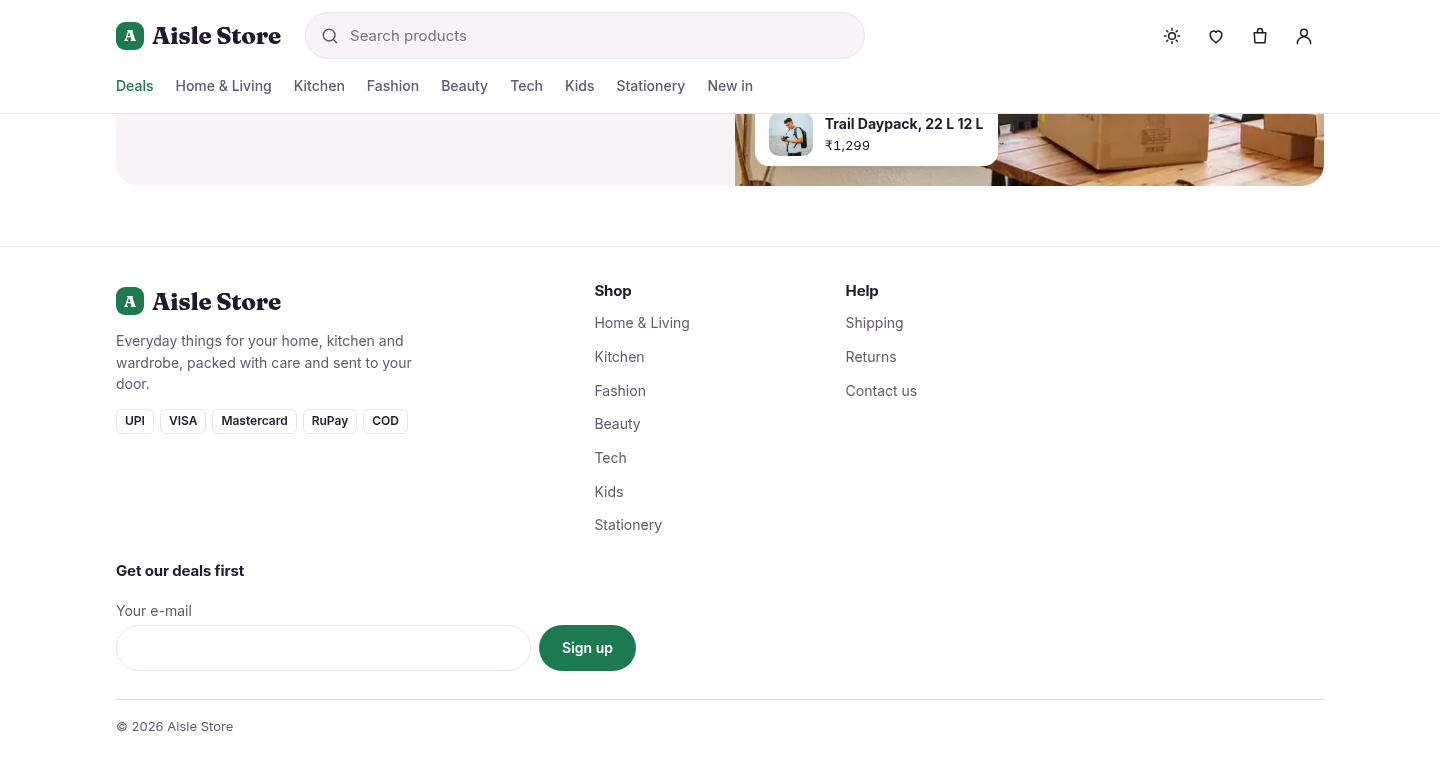
#cart| | Reminders per hourly run | 50 | - Show the form: open Appearance → Manage widgets and add Newsletter sign-up to a widget area. Set its heading, field label and button text. A theme with its own form can post to the plugin instead (see For developers).
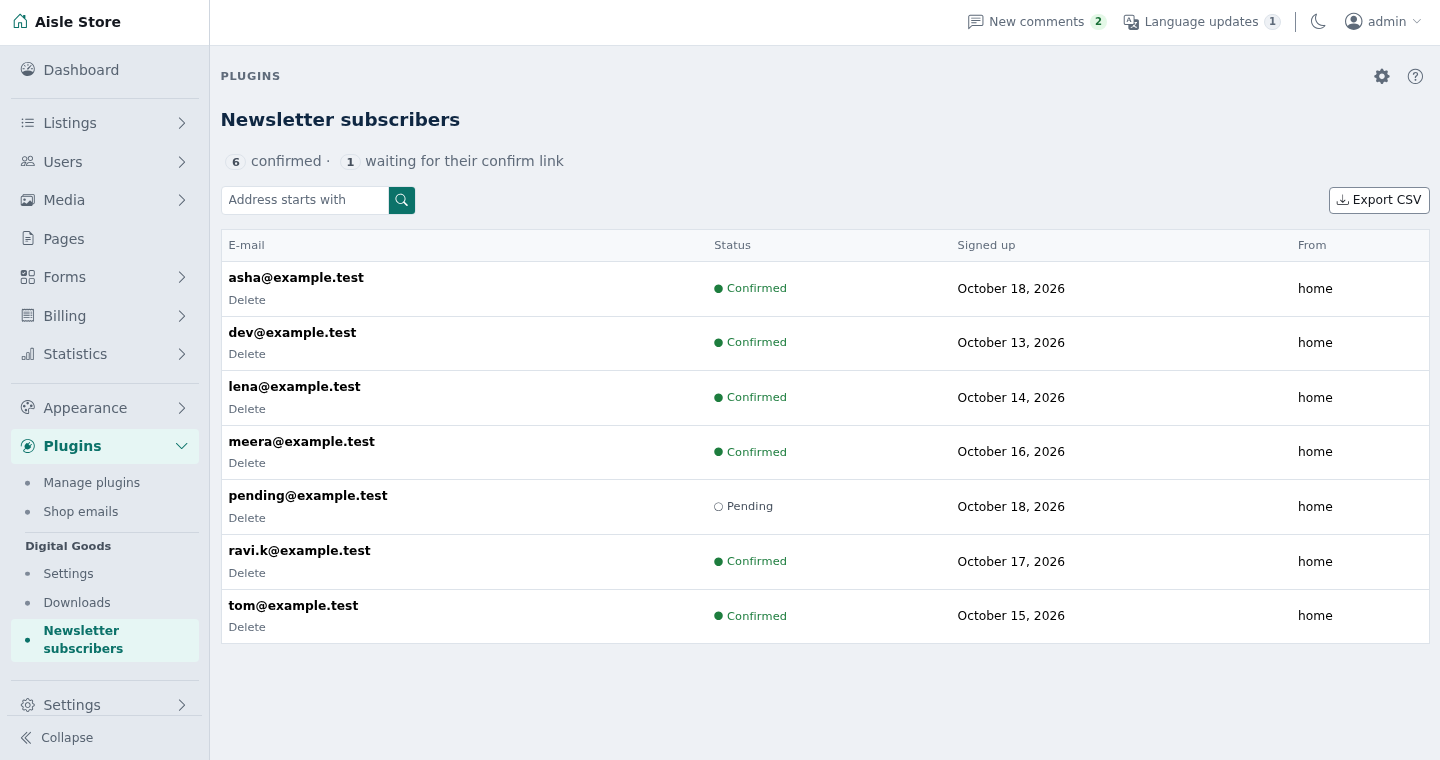
- See who signed up under Users → Newsletter subscribers.
Texts are plain. A blank line starts a new paragraph. {WEB_TITLE} is the site name. {USER_NAME} is the shopper's name in the reminder.
With the Aisle theme, its home page newsletter form works once the plugin is active. Aisle opens its cart drawer for the #cart link.
How it works
Newsletter:
- A theme's form posts
emailtoshop-emails/subscribe. The plugin checks the address, a hiddenwebsitefield that only bots fill, and the hourly limit per visitor. - The visitor returns to the page they came from with
?newsletter=sent|confirmed|exists|invalid|wait. sent: a confirm mail went out (also the answer to a bot).confirmed: double opt-in is off.exists: already confirmed.invalid: not an e-mail address, or over 191 characters.wait: over the limit, or the mail could not be sent.- The confirm mail has a confirm link and an unsubscribe link. Each carries a random token, not the address. The unsubscribe link asks first, so a mail scanner cannot remove anyone.
- A second sign-up of a pending address within 10 minutes sends nothing. Later, it sends a new link and the old one stops working.
- Unconfirmed sign-ups are removed after 3 days.
- Newsletter subscribers shows counts, the list, a search by the start of an address, and Delete. Export CSV downloads confirmed addresses (
email,status,source,signed_up,confirmed_at, times in UTC).
Cart reminder (shop sites only):
- Once an hour, the plugin reads saved carts of signed-in shoppers and queues a reminder for each cart that has items, has not changed for the set hours, and belongs to a live account with an e-mail.
- The job checks again before sending. A cart emptied, changed or ordered since gets nothing.
- The mail lists up to five items with price and links to the cart.
- A shopper gets at most one reminder in 30 days. Placing an order also stops one.
- Each run reads at most 500 carts and queues at most Reminders per hourly run. The next run carries on.
Notes / limits
- The plugin does not send newsletters.
- Guests' carts live in the browser and get no reminder.
- Everything is in core's
t_key_valuetable, groupsnewsletter,newsletter_token,cart_reminderandshop_emails. No table of its own. Settings are preferences in theshop-emailssection. - The visitor's IP is never stored. The hourly limit uses core's rate counter, which keeps a hash.
- Personal data: core's data export includes the account's newsletter row and reminder mark. Deleting an account deletes both. Delete one address under Users → Newsletter subscribers, or the person can use the unsubscribe link.
- Uninstalling deletes the list, links, marks and settings. Export the list first.
- On an older ShopClass the plugin loads, does nothing and says so in the admin.
For developers
- The filter
aisle_newsletter_actionreturns the subscribe address. Another theme can callshop_emails_subscribe_url()and post a form with anemailfield to it. - Show a line for each
?newsletter=status. Print only the five values above. - An optional
sourcefield (a-z,0-9,_,-, up to 20 characters) names the form. It defaults tohome. - Mail text passes through filters before placeholders are filled:
shop_emails_confirm_title,shop_emails_confirm_description($text, $email),shop_emails_reminder_title,shop_emails_reminder_description($text, $user, $lines). The description filters get HTML, so escape what you add. - Listens to
aisle_newsletter_action,personal_data_export,cron_hourly,register_jobs,billing_order_placedanddelete_user.
Translations: copy languages/shop-emails.pot to languages/<locale>/messages.po, translate, and compile to messages.mo. Rebuild the template with php tools/make-pot.php.
Tests: ./tests/run.sh (unit) and php tests/integration/flow.php (needs core's scratch MySQL on port 33061).
Support
What's new in 0.1.1
Changed
- Listens to core's typed
OrderPlacedevent on a core that has it.
Found a problem with Shop emails? Open an issue on GitHub.


