

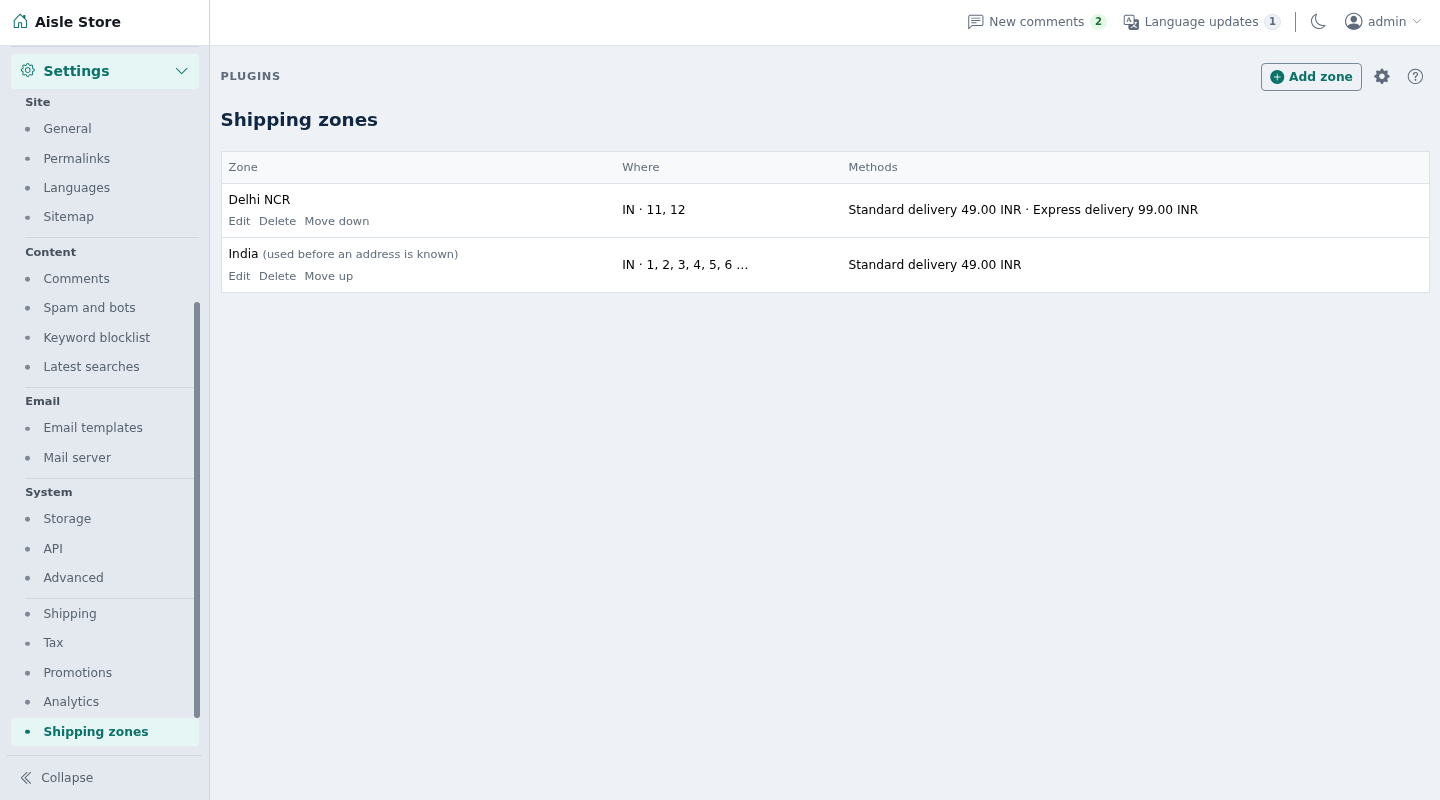
Delivery zones for ShopClass shop orders: flat and weight-based prices, shipping class charges, Standard and Express delivery, free delivery over an amount, delivery dates, PIN code checks and courier tracking links.
Requirements
- ShopClass 7.1.0 or later, in shop mode
- PHP 8.2 or later
- No outside accounts. No cron, worker, Redis or shell needed.
Install
- Open Plugins → Browse (or upload the zip from the GitHub release).
- Install.
- Activate.
Set up
- Open Billing → Shipping and press Add zone.
- Fill Name, then Countries, States and PIN or postcode starts for where it covers. Leave a list empty to cover everything. Under Shipping class charges, write one class per line with its extra charge, such as
bulky = 200. - For Standard delivery and Express delivery, turn on Offer this method in the zone and set Name at checkout, Price, the weight included, the price per extra kilo, the free-over amount and the delivery days.
- Press Save zone. Use Move up and Move down to order zones.
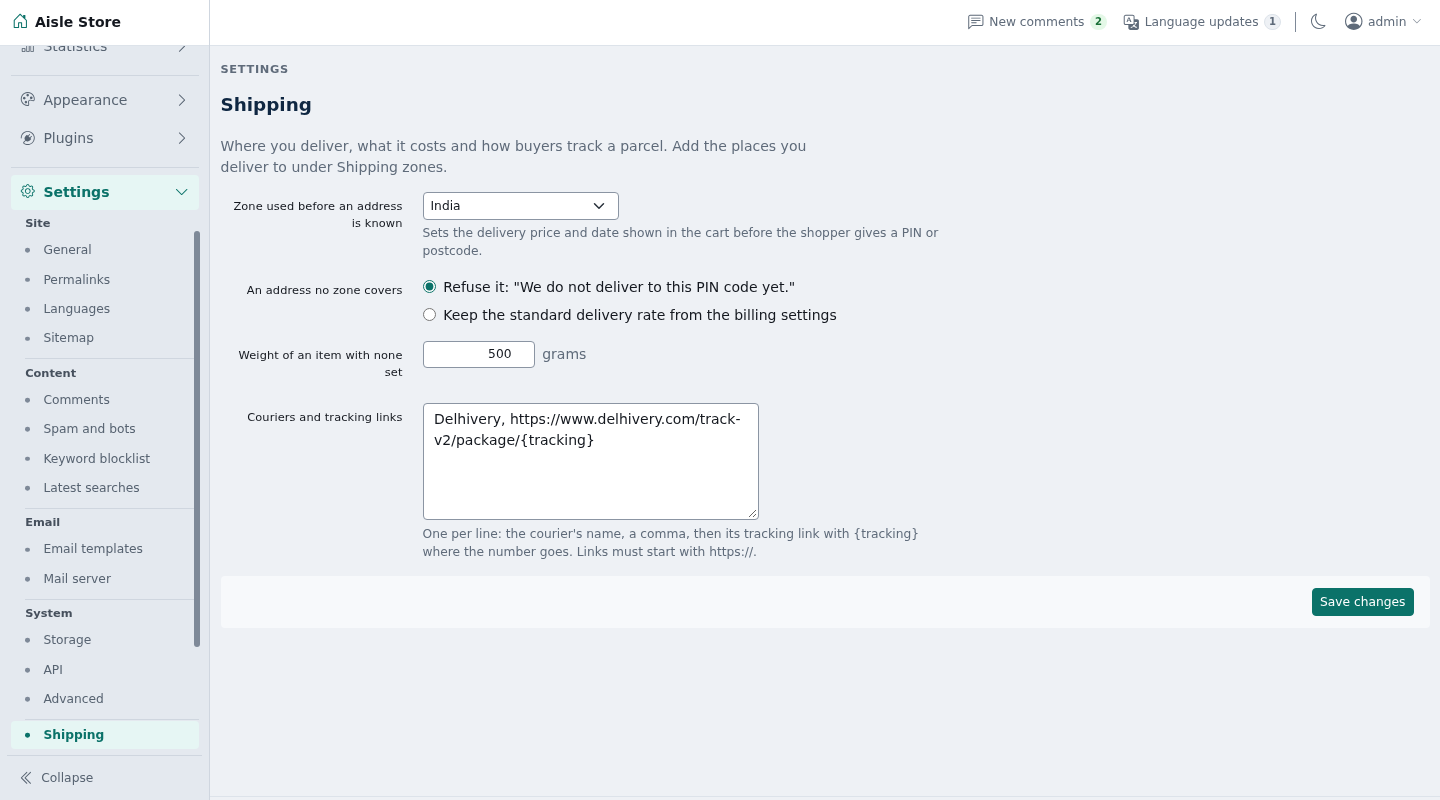
- Open the Settings tab on the same screen:
- Zone used before an address is known
- An address no zone covers
- Weight of an item with none set (grams)
- Couriers and tracking links
Amounts are in the site's currency.
How it works
- The most exact zone wins: a PIN start beats a state, a state beats a country. Among zones of the same kind, the one higher in the list wins.
- A zone with states needs the shopper's state. A zone with PIN starts needs a PIN.
11covers every PIN starting11. States ignore capitals and spaces. - A zone with every method off never matches.
- Before the shopper gives an address, the default zone prices the cart. With no default zone, core's flat rate shows.
- Price:
amount + per_kg × (started kilos above the included weight). Every started kilo counts, so 1,001 g over is two kilos. - Delivery is free once the items reach the free-over amount. Empty means never. That amount also drives the cart's free-delivery meter.
- An item with no weight counts as the default weight.
- Shipping classes come from each product variant's Shipping class. A class with a charge in the zone adds that charge for each item, on top of the price. Free-over still makes the whole delivery free.
- Items in the class
freeship free and add no weight. A cart of onlyfreeitems ships free. - A method with fastest and slowest day counts shows a date range, such as "20 Oct - 21 Oct". One day exactly shows "Tomorrow". Both at 0 shows no date. The estimate is kept on the order's shipping line.
- For an address no zone covers, Refuse it (default) says "We do not deliver to this PIN code yet." or "country". Keep the standard delivery rate keeps core's flat rate.
- Tracking: under Couriers and tracking links, write one per line, a name, a comma and an https link with
{tracking}:Delhivery, https://www.delhivery.com/track/package/{tracking}When an admin ships an order with a matching courier name and a tracking number, the buyer gets that link. Links that are not https, or lack
{tracking}, are refused.
Notes / limits
- With no zones at all, nothing is refused.
- An address missing the PIN or state a zone needs is not refused. The default zone prices the cart until the shopper types it.
- No database query when a cart is priced. Zones are read from the settings core already loads.
- Without the cart hooks (older ShopClass), the plugin loads, does nothing and says so in the admin.
- Zones and settings are preferences in the
shippingsection. No table of its own. - Uninstalling removes the zones and settings. Orders keep what they were charged.
For developers
Listens to the filters cart_shipping_methods, cart_problems, cart_free_over and billing_tracking_url. It fires no hooks.
Translations: copy languages/shipping.pot to languages/<locale>/messages.po, translate, and compile to messages.mo. Rebuild the template with php tools/make-pot.php.
Tests: ./tests/run.sh (unit) and php tests/integration/quote.php (needs core's scratch MySQL on port 33061).
Support
What's new in 0.2.0
New
- Shipping class charges per zone, such as bulky = 200 for each bulky item. Items in the class "free" ship free.
Found a problem with Shipping? Open an issue on GitHub.


