

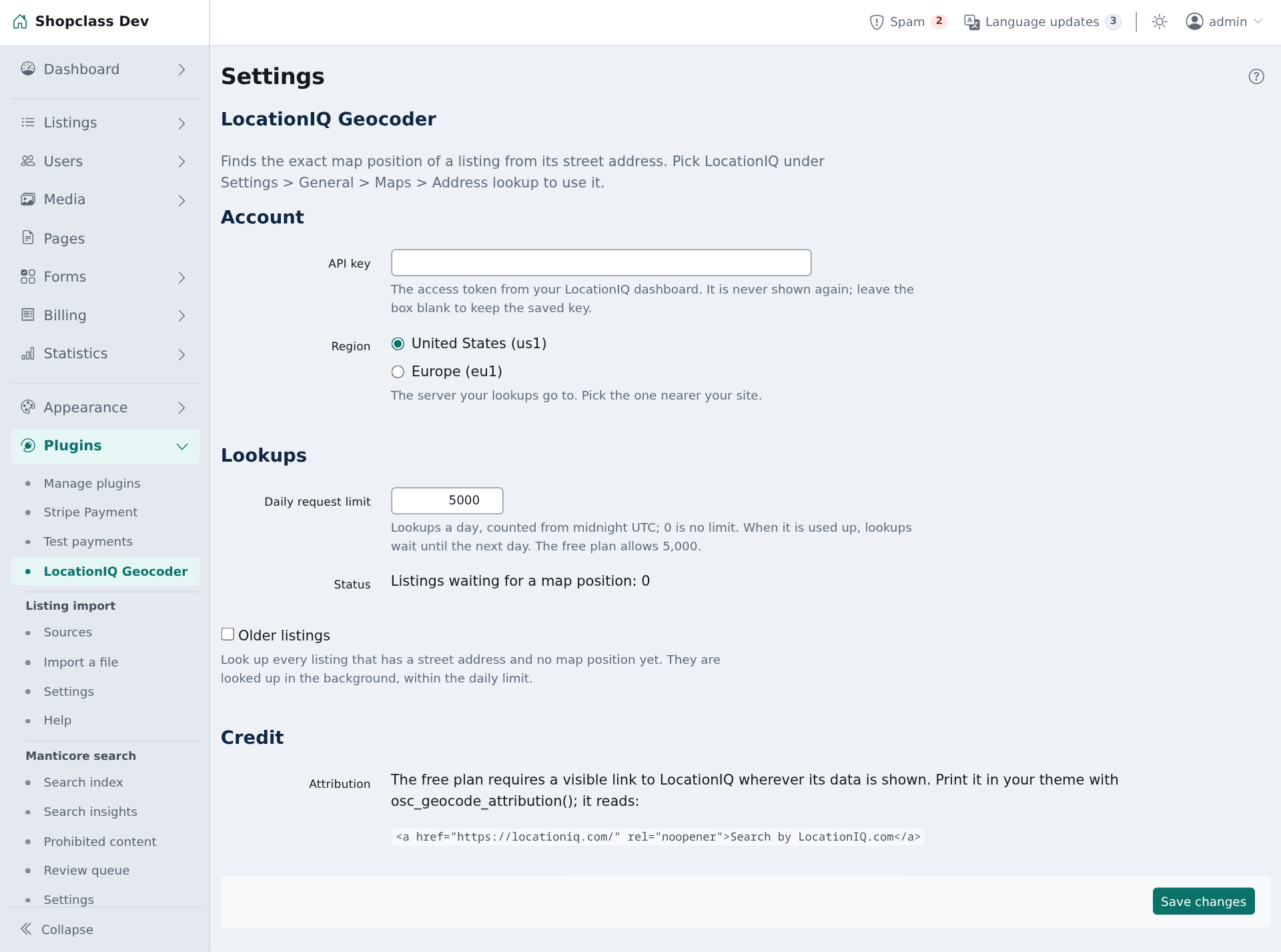
Finds the exact map position of a listing from its street address, using LocationIQ. Distance search then uses that point instead of the city or region centre.
Requirements
- ShopClass 7.0.0 or later
- PHP 8.0 or later, with the curl extension
- A LocationIQ access token (the free plan is enough to start)
Install
- Open Plugins → Browse (or upload the zip from the GitHub release).
- Install.
- Activate.
Set up
- Open Plugins → LocationIQ Geocoder.
- Paste your access token into API key, pick the Region (United States or Europe), and save.
- Optional: set Daily request limit. The default is 5,000, the free plan's allowance. 0 is no limit.
- Open Settings → General → Maps and choose LocationIQ under Address lookup.
To look up listings saved before you installed the plugin, tick Older listings and save. One background job queues every listing that has a street address and no map position, 50 at a time, within the daily limit.
How it works
- A lookup runs from the job queue after a listing with a street address is saved. Visitors do not wait for it.
- Cron (or auto-cron) must be running. A queue worker makes it faster.
- Nothing runs on a normal page load.
- The settings page shows how many listings wait, and when lookups go on.
Notes / limits
- The saved key is never shown again. Leave the box blank to keep it.
- The free plan allows 2 requests a second and 5,000 a day. The plugin waits for the next second when the limit is reached.
- The daily limit counts from midnight UTC. When it is used up, or LocationIQ answers HTTP 429, lookups stay queued. They run again when the limit renews: the next day for the daily limit, a minute later for the others.
- A server error or a refused key makes the lookup fail. ShopClass tries again later.
- An address LocationIQ cannot find is remembered for a day. Found positions are kept up to a year.
- Older listings needs ShopClass 7.0.0 or later.
- The free plan requires a visible link to LocationIQ wherever its data is shown. Print it in your theme with
osc_geocode_attribution(). - On uninstall, the settings are removed. If Address lookup named this plugin, it is reset to none.
- Works on shared hosting.
For developers
Run the tests with ./tests/run.sh. They need no network. Core is read from ../osclass, or from SHOPCLASS_CORE.
Support
https://github.com/mindstellar/shopclass-plugin-locationiq/issues
What's new in 0.1.3
Changed
- On ShopClass 7.1 the missing-key warning goes to the admin bell; the full banner shows only on the settings page. Older cores keep the banner.
Found a problem with LocationIQ Geocoder? Open an issue on GitHub.


