

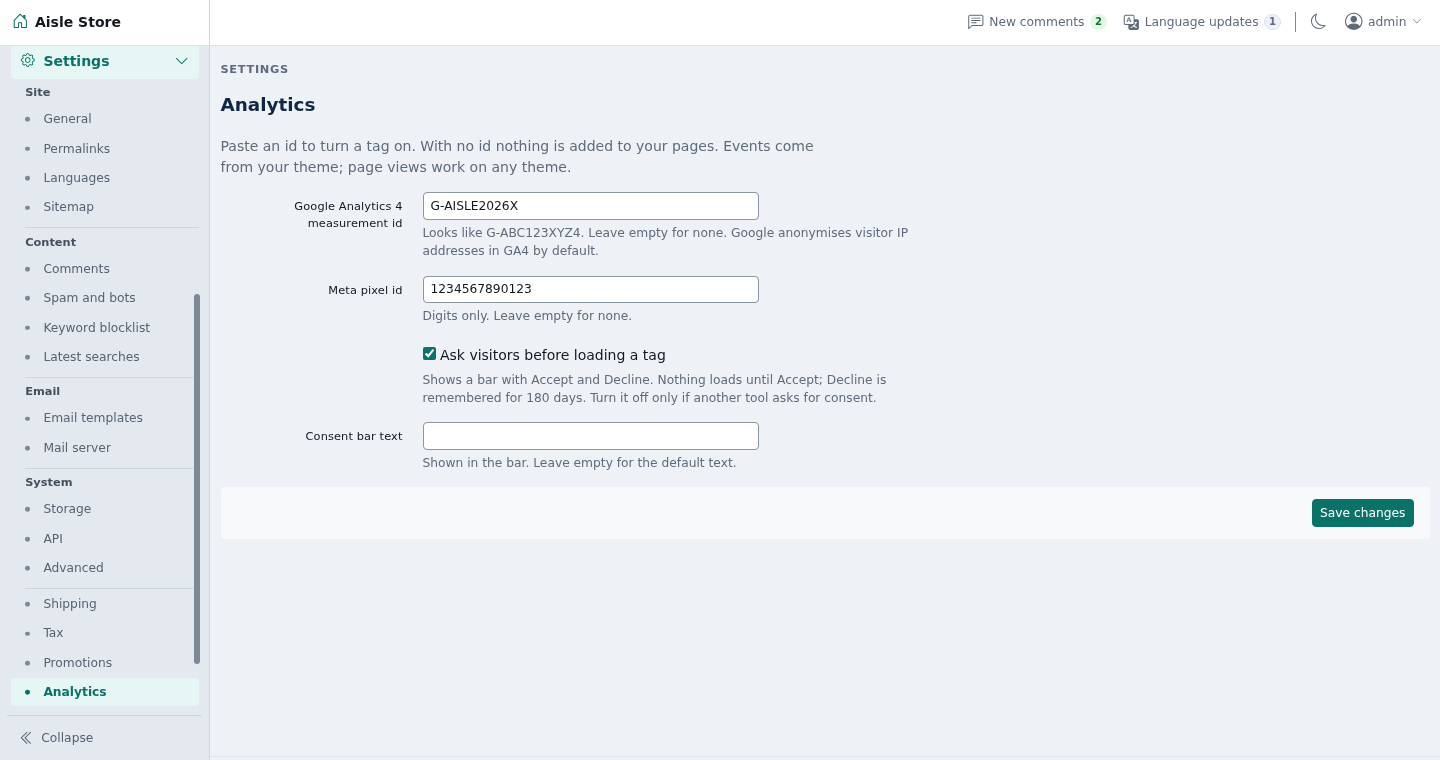
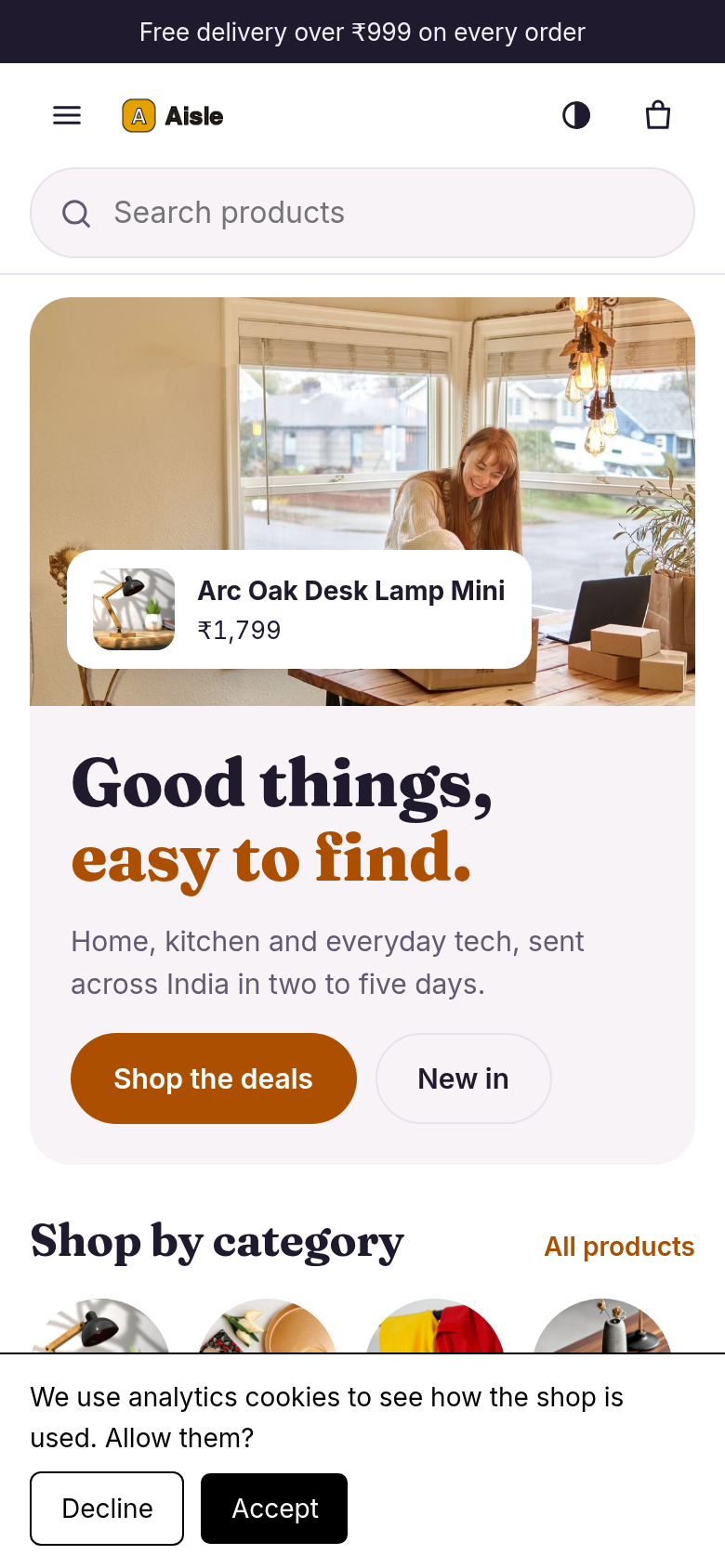
Adds Google Analytics 4 and Meta Pixel to a ShopClass site, with a built-in consent bar. Nothing is added to a page until you save an id, and no tag loads until the visitor accepts.
Requirements
- ShopClass 7.0.0 or later
- PHP 8.0 or later
- A Google Analytics 4 measurement id, a Meta pixel id, or both
Install
- Open Plugins → Browse (or upload the zip from the GitHub release).
- Install.
- Activate.
Set up
- Open Settings → General → Analytics.
- Enter the Google Analytics 4 measurement id. It looks like
G-ABC123XYZ4:G-plus 4 to 12 letters or digits. - Enter the Meta pixel id: 5 to 20 digits. Leave a field empty to skip that tag.
- Keep Ask visitors before loading a tag on, unless another tool already asks for consent.
- Optional: write your own Consent bar text. Empty uses the default.
- Save. A bad id is refused.
How it works
- With the bar on, visitors see it on the first page, with Accept and Decline.
- Accept loads the tags and sends the page view and the events so far.
- Decline loads nothing and is remembered for 180 days.
- The choice is kept in
localStorage(analytics-consent), not a cookie, so cached pages stay cached. - GA4 anonymises visitor IP addresses by default.
- After Accept, the plugin sends page views, product ids, names, prices, quantities, order totals and search terms to Google (
googletagmanager.com) and Meta (connect.facebook.net). - Nothing is printed on admin, API or
?osc_preview=1pages, or on pages whose address has acode,secretortoken(password reset, activation, listing edit and mail confirm links).
Shop events need a theme that publishes them, such as Aisle. The theme publishes GA4-named events to window.aisleTrack and to the aisle:track event on document. GA4 gets each one under its own name. The pixel gets these:
| Theme event | Meta event |
|---|---|
view_item | ViewContent |
add_to_cart | AddToCart |
begin_checkout | InitiateCheckout |
add_payment_info | AddPaymentInfo |
purchase | Purchase |
search | Search |
sign_up | Lead |
Notes / limits
- On other themes you get page views only.
- The tags set their own cookies after Accept.
- The bar is a plain opt-in, not legal advice. Check what your market requires and say so in your privacy page.
- The plugin stores four preferences (the two ids, bar on or off, bar text). Uninstall removes them. Nothing is stored per visitor on the server.
For developers
- The plugin prints one
<script type="application/json" id="analytics-config">on theheaderhook and queuespublic/analytics.js. - The filter
analytics_skip(defaultfalse) lets a plugin skip its own pages. - Run tests with
tests/run.sh(PHP and Node, no core or network needed).
Support
https://github.com/mindstellar/shopclass-plugin-analytics/issues
What's new in 0.1.0
New
- Google Analytics 4 and Meta Pixel from an id on the settings page; with no id nothing is added to any page.
- Shop events from the theme (
aisleTrack) sent to GA4 and, where Meta has a match, to the pixel. - Built-in consent bar, on by default: no tag loads before Accept, Decline is remembered for 180 days.
- Ids checked on save; admin, API and preview pages never get a tag.
- Pages whose address carries a reset code, listing secret or mail token never get a tag, and the page address sent to GA4 drops those values.
Found a problem with Analytics? Open an issue on GitHub.


