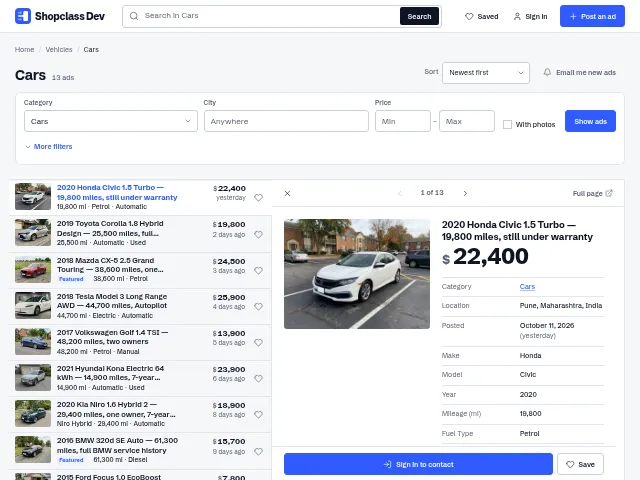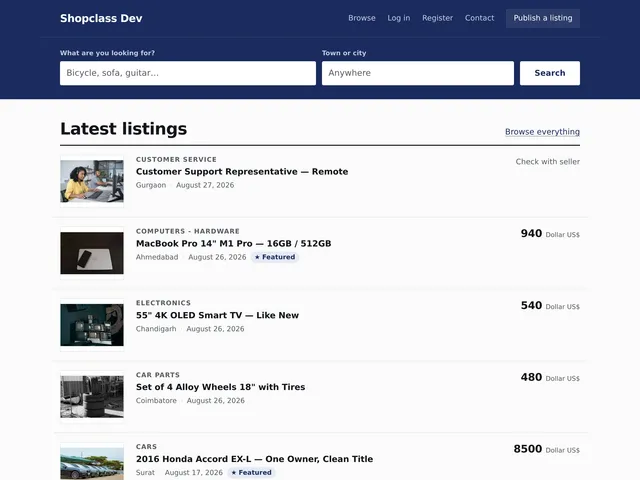
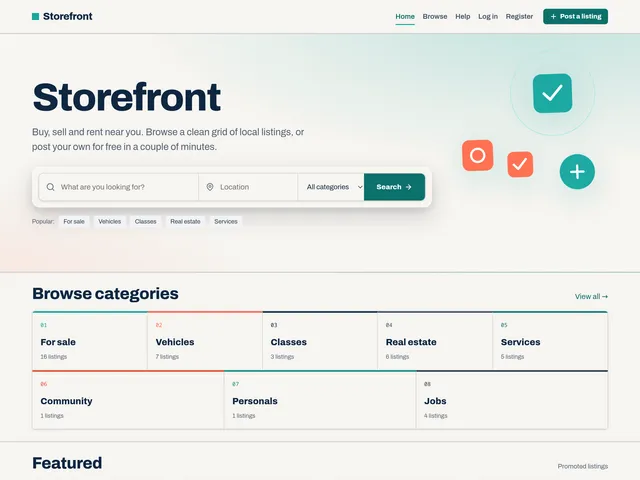
The default public theme for ShopClass: a modern, responsive, vanilla-JS (no jQuery) classifieds front end.
Design
- Three selectable colour palettes (Teal / Indigo / Violet) on a warm-sand ground with deep-navy ink; light, dark or auto (follows the OS). Every palette × mode combination meets WCAG 2.1 AA contrast. Picked in the admin (see below), or retuned through the CSS design tokens in
css/storefront.css(--color-*,--font-*,--space-*,--radius-*,--shadow-*). - Card-grid listings, sticky search, accessible mobile nav, automatic RTL via logical CSS properties (switches on right-to-left locales, no setting to manage).
- Consumes only the public ShopClass theme API (
osc_*helpers and hooks), with no reach into core internals.
Install
Storefront 2.0 needs ShopClass 7.0.0 or later; sites on an older core stay on Storefront 1.3.x. ShopClass bundles Storefront in the release zip and activates it on a fresh install. To install manually, drop this folder into oc-content/themes/storefront/ and activate it under Settings → Appearance.
Theme settings
Storefront adds two admin pages under Appearance to rebrand and retune the front end without touching code. Everything is stored as theme preferences (so it survives theme updates) and read at render time.
Appearance → Storefront: Brand
- Site name: the wordmark shown when no logo image is set, and the accessible site name in every case.
- Logo: upload an SVG, PNG or JPG. An SVG is sanitized on upload (scripts, event handlers and remote references are stripped) and inlined so it follows the current text colour. One file then looks right in both light and dark mode. PNG/JPG logos are saved to
oc-content/uploads/. - Compact logo (optional): a square-ish mark shown on small screens; falls back to the main logo when left empty.
Appearance → Storefront: Settings
- Colour palette: Teal (default), Indigo or Violet. Swaps the primary and secondary accents site-wide; each is tuned to clear WCAG 2.1 AA in both light and dark.
- Colour scheme: Light, Dark, or Auto (matches each visitor's device setting).
- Home / Hero: override the headline and tagline; toggle the decorative graphic, the popular-category chips, and the featured (promoted) listings row.
- Search & location
- Post & edit form: location fields as type-ahead autocomplete or cascading dropdowns.
- Search page: Country + Region + City, Region + City (for single-country sites; hides the country choice and scopes to the default country), or Autocomplete.
- Search box placeholder text and the default results view (gallery or list).
- Footer & social: footer tagline; links for Facebook, X, Instagram, YouTube and LinkedIn (each icon is hidden when its field is blank); and the "Powered by ShopClass" credit toggle.
Leaving a text field blank restores its built-in default (e.g. the site title for the hero headline).
Translations
UI strings use the gettext domain storefront (__() / _e() / _n()), which core loads from languages/<locale>/theme.mo for the active locale. The theme ships a default en_US catalogue and a languages/storefront.pot template.
npm run i18n    # re-extract strings -> languages/storefront.pot + languages/en_US/theme.po
npm run build   # compile every languages/<locale>/theme.po -> theme.mo (also builds assets)
Run npm run i18n after adding or changing UI strings, and commit the updated .pot / .po (the compiled .mo is a build artifact). To add a language, copy languages/en_US/theme.po to languages/<locale>/theme.po (e.g. es_ES), translate the msgstr entries, and run npm run build.
JS is split per surface and loaded only where it is used: storefront-core (site chrome, every page), storefront-item (listing gallery/lightbox/map), storefront-search (filter drawer, location autocomplete, search-alert on the search page, home hero and post/edit form), and storefront-account (avatar editor). Each view enqueues its own bundle; all scripts are deferred.
Showcases ShopClass 6.0.0
Storefront is meant to double as a reference for what the platform can do:
- Featured (premium) listings on the home page via
osc_get_premiums(). - Related listings on the item page (same category, live only). See
storefront_related_items(). - Custom fields rendered on the item page through the item-meta API (
osc_has_item_meta()). - Friendly-named resource downloads (
osc_resource_download_url()) in the gallery. - Cache-safe view counts: the theme is stateless and never counts a view at render time, so core's JS beacon does the counting and full-page caching keeps working.
- Widget zones (
header,footer,item_sidebar) for drop-in plugin components. - Vanilla JS only, light + dark mode, RTL via logical properties.
Pages core draws
The account pages, sign-in and registration, the public profile, the contact page and the credits pages are drawn by core, inside Storefront's header and footer. Storefront hangs its own pieces on core's hooks (inc/core-pages.php): the account band and tabs on account_page_before, the listing cards and the "My listings" table on listing_list_html, and the contact panels on contact_page_aside. css/storefront.css styles core's .oe-* markup. Plugins use core's hooks on these pages; see the account pages guide in the ShopClass developer docs.
Plugin hooks
Storefront fires the hook names existing Osclass plugins already target, plus a few of its own so plugins can inject content into the new sections:
| Hook | Where |
|---|---|
header, footer | <head> end / before </body> (asset + ad injection) |
before-main, after-main | Around the main content region |
search_ads_listing_top | Top of home and search results |
search_ads_listing_medium | Interspersed every 6 search results |
home_before_featured, home_after_featured | Around the home featured row |
home_before_listings, home_after_listings | Around the home latest-listings row |
item_meta, item_detail | Item page body |
item_before_related, item_after_related | Around the item related-listings row |
item_sidebar | Item page aside (alongside the item_sidebar widget zone) |
item_contact_form | Inside the seller-contact form |
Found a problem with Storefront? Open an issue on GitHub.